
Private Photo Vault - Keepsafe
KeepsafePhotography
4.7213.60K Reviews
- Version
- 14.21.0
- Installs
- 50.00M
- Age Rating
- Everyone
Screenshots
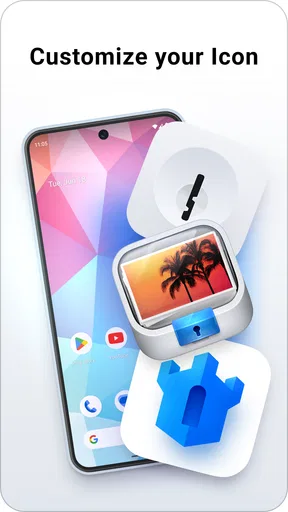
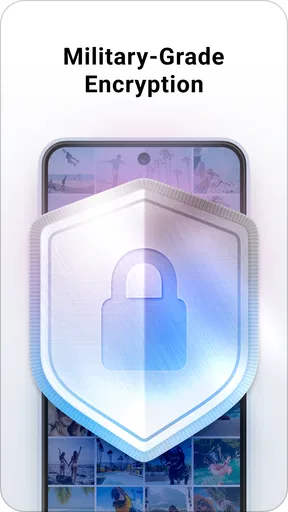
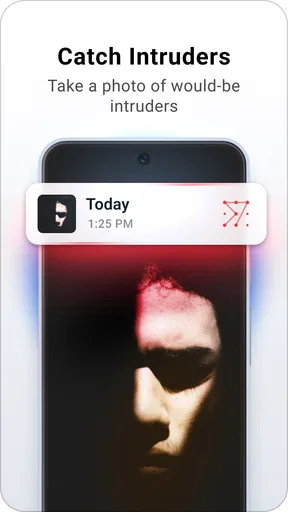
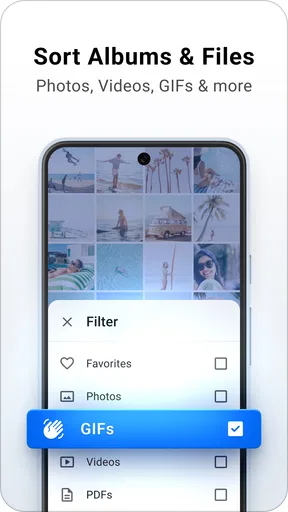
Our Review of Private Photo Vault - Keepsafe
 Analysis by Appyee
When I hand someone my phone to show a picture, I sometimes remember there are photos I would rather keep out of casual view. That is the simple problem Private Photo Vault - Keepsafe is meant to solve: it gives selected pictures a separate, locked place instead of leaving everything together in the regular gallery. I find that focused approach useful, though it works best when I treat the vault as one part of a privacy routine rather than a complete answer to every security concern.
Finding your way around the vault
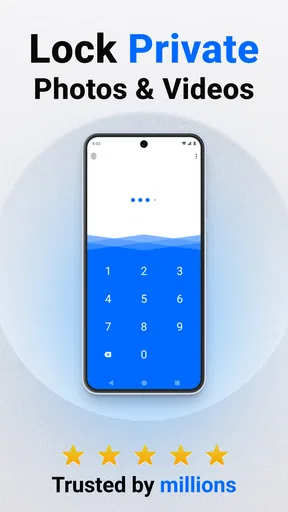
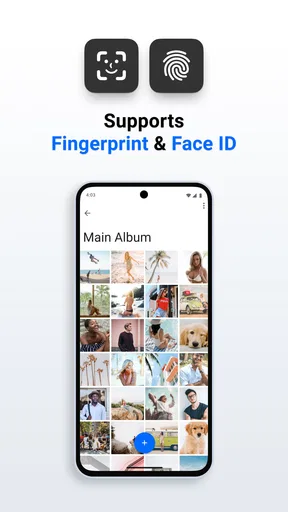
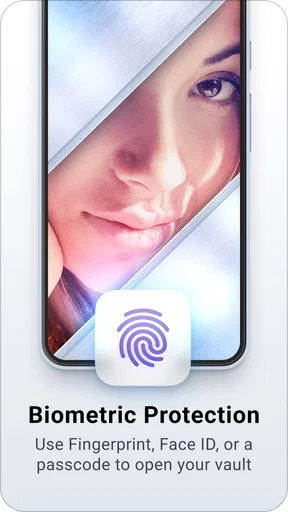
Setting up Private Photo Vault - Keepsafe is a breeze. After downloading it from the app store, the installation process is pretty straightforward. Once you open the app, you're prompted to set up a PIN or use biometric authentication like fingerprint or face ID for extra security. This feature is nifty because it adds a layer of protection right from the get-go.
The app's interface is clean and intuitive. Navigating through the menus feels natural, and even if you're not a tech wizard, you'll find it easy to get the hang of. The main task—moving chosen photos into a separate space—is easy to understand, which matters more than decorative design in an app people may open briefly and then close again.
There is a small but important habit to build: decide which pictures belong in the vault before you start importing. Moving a large, mixed camera roll one item at a time can turn a quick privacy task into a sorting session. I would begin with a few clearly private images, check that they appear in the right album, and then add more in manageable batches. That also makes it easier to notice if you have left a copy somewhere else.
Readability and everyday navigation
The app's simple layout should feel approachable for someone who does not enjoy learning complicated menus. Albums give photos a bit of structure, so a private collection need not become one long, confusing stream. The slideshow feature also provides a more relaxed way to revisit pictures without repeatedly opening individual files.
That simplicity is a strength, but it is not the same as making every action effortless for every person. Anyone who has difficulty reading small text, distinguishing controls, or remembering a PIN may want to take time during setup and see whether the app’s screens and chosen unlock method suit them. I would not assume that a clean interface alone removes those barriers.
Features that matter in practice
One of the key features of Keepsafe is its ability to import photos from your gallery directly into the app. You can create albums within the app to keep everything organized. Importing photos is seamless and quick, so you won’t have to spend ages waiting for your pictures to transfer.
Beyond just storing photos, Keepsafe offers a handy slideshow feature. You can view your photos as a slideshow, which is perfect for those times when you just want to sit back and enjoy your memories.
Another cool feature is the break-in alerts. If someone tries to access your vault with the wrong PIN, Keepsafe snaps a photo of the intruder. It’s like having a little security guard for your images.
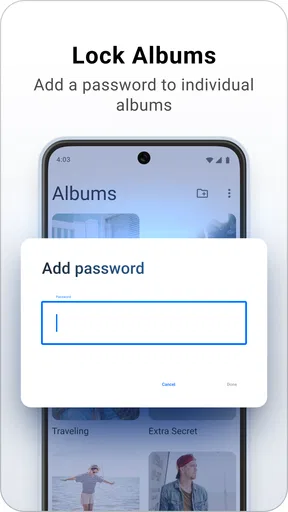
One useful workflow is to keep different kinds of images in separate albums rather than treating the vault as a dumping ground. For example, I would group personal keepsakes apart from pictures of paperwork, so it is easier to find the right item when needed and less likely that I open the wrong collection while showing someone something else. A private vault can make access more deliberate, but it cannot make a photo private if I leave an unprotected copy in another app or share it elsewhere.
Privacy, backups, and the trade-offs
Privacy is the name of the game with Keepsafe. The app uses a combination of encryption and a robust password system to keep your photos safe from prying eyes. You can also set a decoy PIN, which is a clever way to create a fake vault for those times when someone really insists on seeing what’s inside.
For those extra sensitive photos, there’s a feature to create private cloud storage. This means your photos aren’t just stored on your device; they’re backed up securely online. It’s a feature that gives peace of mind, especially if you’re worried about losing your phone.
Cloud backup and local privacy solve different problems. A backup may help if a device is lost, while a locked app helps keep casual viewers from opening selected pictures on the phone. I would not treat either one as a reason to skip sensible account and device security. Before relying on a backup for anything irreplaceable, I would check that the photos I care about are actually available there and that I can get back into the account.
The decoy PIN is also best understood as a situational privacy option, not a guarantee that a determined person cannot discover anything. It may be helpful when someone is pressuring you to unlock the app, but the safest response in a sensitive situation can depend on who has access to your device and what risks you face. If your concern is broader than keeping images out of an ordinary gallery, a dedicated security plan may be more appropriate than any photo vault alone.
Access in different situations
Imagine a friend asks to borrow your phone to scroll through holiday pictures. With selected personal images in a separate locked app, you can open the regular gallery without exposing every photograph at once. That is a practical everyday boundary, not an elaborate security ritual, and it is where this kind of app makes immediate sense to me.
It can also suit someone who keeps private reference images, family keepsakes, or personal documents among everyday camera photos and wants a more intentional place for them. I would be cautious about using a photo vault as the only home for essential records, though. If I need a document for an appointment, I want a dependable way to retrieve it and a backup plan that does not depend on remembering one app PIN under pressure.
For people with motor or sensory needs, the choice of access method and the effort involved in selecting and moving images are worth considering before committing. Someone who prefers biometrics may find unlocking more convenient than entering a PIN repeatedly, while another person may prefer a code they can control. The best option is personal; I would test the routine with a few non-sensitive images first, rather than moving an entire collection and discovering later that the process is frustrating.
Where it fits among photo privacy options
Most phones already offer some way to keep or hide selected images, and a person who only wants a basic separation may find the built-in gallery tools sufficient. Keepsafe makes more sense when I want a dedicated app with its own albums, an access lock, and the option of private cloud storage. Compared with simply putting everything in a regular photo album, it adds an extra step between casual browsing and the images I choose to protect.
That extra layer comes with a trade-off: a separate vault means another place to manage photos and another access detail to remember. It may be less convenient than the default gallery for someone who frequently edits, shares, or searches across their whole library. I would skip it if my priority were a single unified photo workflow, or if I rarely keep images that need separate handling. It is more compelling for someone who wants a clear boundary and is willing to maintain it.
Performance, cost, and remaining barriers
Using Keepsafe is smooth sailing. The app doesn’t lag, and the transitions between screens are fluid. I was particularly impressed with how quickly the app opened and closed, which is a big deal for those who value speed and efficiency.
The app’s design is minimalistic, which I appreciate because it keeps distractions to a minimum. Everything is where you’d expect it to be, and the app doesn’t bombard you with unnecessary options or cluttered screens.
Keepsafe is a free photography app from Keepsafe, and it has a 4.7 average from around 2.1 million ratings. It has been installed over 50 million times, which suggests that a dedicated photo vault is a familiar solution for many people, though popularity alone cannot tell me whether its routine fits a particular user. It is rated for Everyone, and the current version is 14.10.0, with Android 5.1 as the minimum operating system.
The basic free option gives people a way to try the central idea before deciding whether they want more. In-app purchases range from $0.99 to $299.99 per item, so I would check the purchase details in the app carefully rather than assuming every extra has the same cost or is necessary. The app was released on June 3, 2011, and its long presence does not remove the need to make a personal choice about what to store and how to protect access.
Some friction is unavoidable: a PIN can be forgotten, moving pictures takes attention, and separate storage can make a photo less immediately available when you need it. Break-in alerts may appeal to people who want to know about attempted access, but they do not replace a careful lock-screen setting or good judgment about lending a device. These are practical limits, not reasons to dismiss the app; they simply define what it can and cannot do for my privacy.
Who I would recommend it to
Keepsafe offers a free version with basic features, which is great for casual users. However, if you’re looking for more advanced options like private cloud storage, you’ll need to upgrade to the premium version. In my opinion, the premium features are worth the investment if you’re serious about keeping your photos private.
The app does a great job of balancing security with usability, making it a solid choice for anyone looking to add an extra layer of privacy to their photo collection. I would recommend trying it if you routinely hand over your phone, want selected photos separated from your everyday gallery, or value keeping private albums organized behind an app lock. I would be less enthusiastic for someone who needs a shared, easily searchable family library, dislikes managing multiple storage locations, or expects a vault to secure every copy of a photo automatically.
In conclusion, Private Photo Vault - Keepsafe is a must-have for anyone who wants to keep their photos under wraps. Whether you’re hiding dodgy photos, personal documents, or simply want to ensure your privacy, Keepsafe delivers on its promises. So, go ahead, give it a whirl and keep those memories safe and sound!
Verdict
Strengths of Private Photo Vault - Keepsafe
- Easy-to-use interface for quick navigation.
- Strong encryption for enhanced photo security.
- Supports various file types, not just photos.
- Customizable albums for organized storage.
- Decoy password option for added privacy.
Limitations of Private Photo Vault - Keepsafe
- Limited features in the free version.
- Ads can be intrusive in the free tier.
- Occasional crashes on some devices.
- Requires cloud storage subscription for backup.
- No password recovery option if forgotten.
Similar Picks in This Category
View All
Google Photos
Google LLC4.4

Gallery
Google LLC4.2

Picsart AI Photo Editor, Video
PicsArt, Inc.3.9

B612 AI Photo&Video Editor
SNOW Corporation4.1

BeautyPlus-Selfie Photo Editor
PIXOCIAL TECHNOLOGY (SINGAPORE) PTE. LTD.4.5

Remini - AI Photo Enhancer
Bending Spoons4.1
Frequently Asked Questions
What is Private Photo Vault - Keepsafe and how does it work?
Private Photo Vault - Keepsafe is an app designed to secure your photos and videos by storing them in a private vault with password protection. It uses encryption to ensure that only you can access your media. Users can organize files, create albums, and protect them with PINs or biometric authentication.
Is my data truly secure in Private Photo Vault - Keepsafe?
Yes, Keepsafe uses military-grade encryption to protect your photos and videos. The app requires a password or biometric authentication to access the vault, ensuring only you have access. However, it's crucial to keep your password secure and not share it with others to maintain privacy.
Can I recover my files if I accidentally delete them from Keepsafe?
Private Photo Vault - Keepsafe offers a trash recovery feature where deleted items are temporarily stored. You can recover these items within a specific timeframe before they are permanently deleted. Always back up important files to cloud storage for an extra layer of security.
Does Keepsafe offer any customization options for organizing photos?
Yes, Keepsafe allows users to create custom albums, rename files, and sort photos by date or name. You can also add notes to each photo for better organization. The app provides a seamless experience with easy-to-use features that make managing your media secure and efficient.
Is Private Photo Vault - Keepsafe available for both Android and iOS?
Yes, Keepsafe is available for both Android and iOS devices. You can download it from the Google Play Store or the Apple App Store. It offers a seamless experience across platforms, allowing you to secure and manage your photos and videos regardless of your device type.
